Highlights
New features
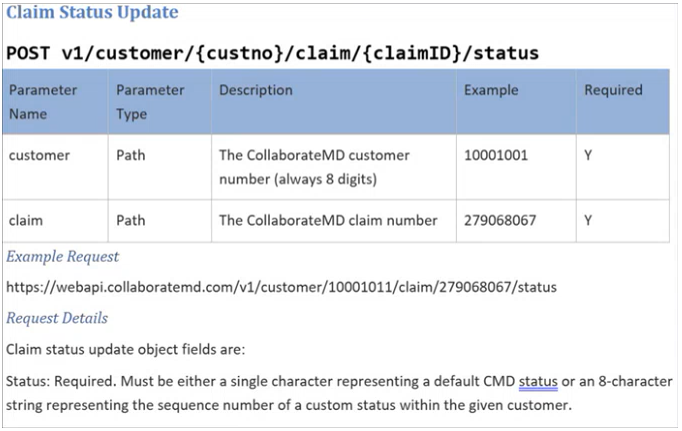
New WebAPI Endpoint to Allow Setting a Claim To a Specific Status
This release introduces a new endpoint for all WebAPI customers who create claims. This endpoint allows customers who integrate with our API and work outside our system to set claim statuses. They can set claims to any custom status and most standard statuses. Please note that Paid, Send to Insurance, User Print, and Delete statuses are not supported. This new claim status option is available to all WebAPI customers, allowing integration customers to send claims to specific status buckets for processing.
Enhancements
New Payment Plan Auto Pay Report Fields
In this release, we added new report fields under "Payment Plan Data" to allow users to report on the status of payment plans that are on Auto Pay. We first added a new "AutoPay Status" field that will show one of the following statuses (also usable in a Filter):
Not Set Up: If AutoPay has never been set up for this payment plan
Active: If AutoPay is currently set up for this payment plan
Disabled: If AutoPay had been set up but was disabled by a specific user
Failed: If AutoPay failed for this payment plan
We also added report fields for:
AutoPay Enable User: Will show “Patient” if the patient did it from the Portal
AutoPay Enable Date: Date/Time it was enabled
AutoPay Disable User: Will show “CollaborateMD” (rather than “AUTO_DEBIT”) if the system disabled it
AutoPay Disable Date: Date: Date/Time it was disabled
For more information visit our Payment Plan Data Help Article.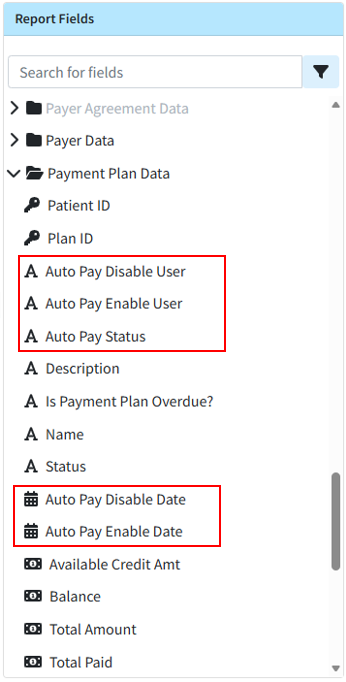
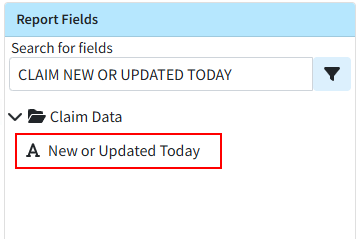
New Report Field for New or Changed Today Claims
This release also brings a new report field within Claim Data, "Claim New or Changed Today," that efficiently reports on claims and charges that were added or changed today. This allows you to get data specifically on claims that have been added or changed the current day, allowing users to get the claim information that has changed since the last snapshot without having to wait for the next days snapshot.
Visit our Claim Data Help Article for more information.
Claim Frequency Reset Enhancement
Previously, when resubmitting claims to the primary payer, staff manually reset the claim frequency to 1 after posting the ERA/EOB and before sending to the secondary payer. In this release, we updated the system so that when a professional claim's status changes to "Send to Insurance via Clearinghouse" or "User Print & Mail" through the ERA or EOB screens, the claim frequency automatically resets from 7 to 1 before sending the claim to the next payer.
Statement Vendor Change Configuration Warning
To facilitate the completion of our Statement Vendor migration to DataMedia (DMA), we added a non-dismissible message to the login screen. This message will appear for users with permission to edit statement templates on accounts where Statement Automation is enabled but not yet configured with the new statement vendor for any statement type. The warning will inform users that they must configure and verify the new statement template in their account to continue sending statements. It will also include a "Verify Templates" button, which will direct users to the configuration screen to complete the setup process. 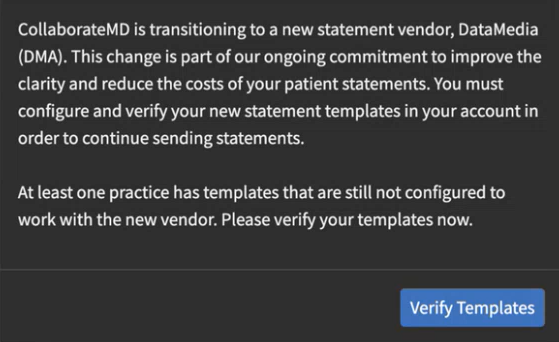
As part of this release, we are continuing our ongoing work to assess, monitor, and address any security vulnerabilities.